Empower Seniors with Smart Home Monitoring Solutions
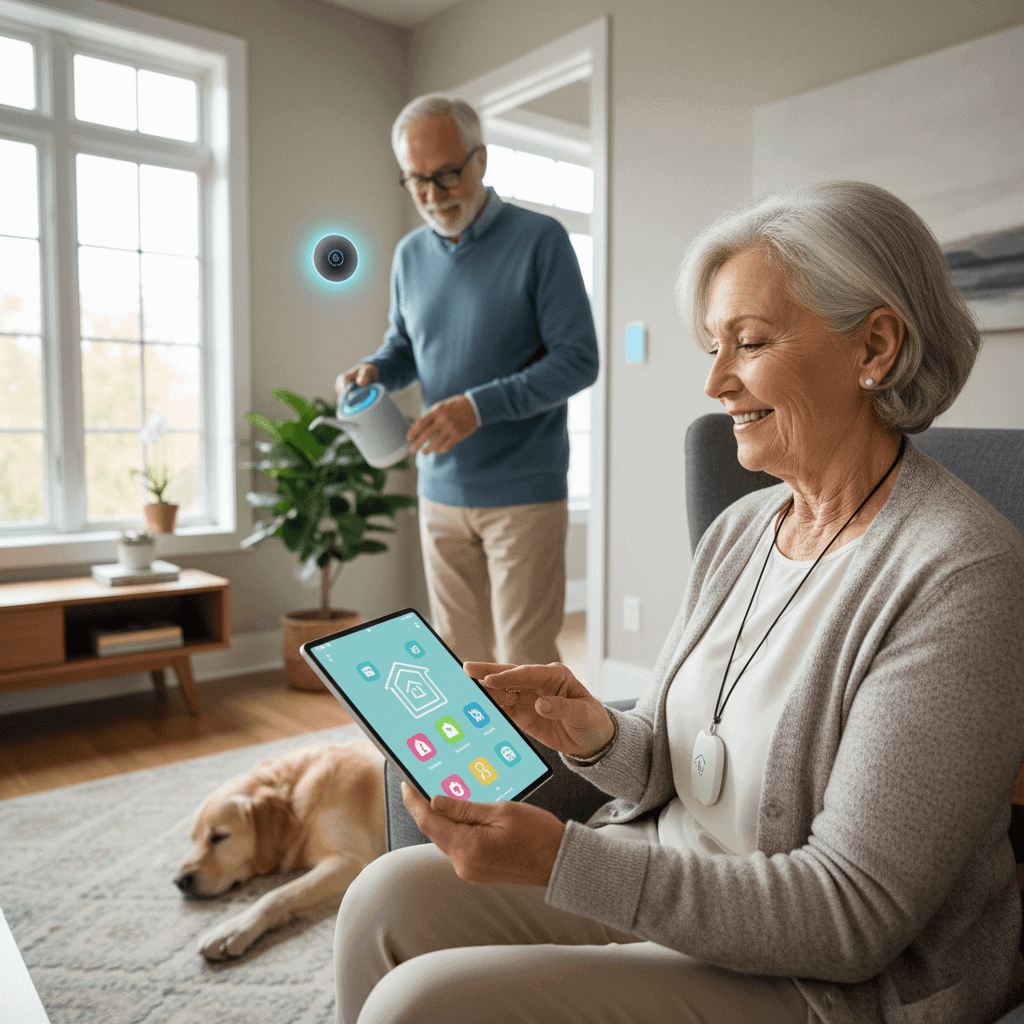
Keeping older relatives safe at home is a challenge that combines technology, human judgment, and practical planning. Families want solutions that let a person maintain their routines while reducing the risk of serious accidents. This article looks at realistic home monitoring approaches that respect dignity and privacy while providing useful data for caregivers and health professionals.
We will walk through different system types, privacy rules, installation tips, and funding options. Each section focuses on actions you can take today and red flags to watch for tomorrow. The goal is clear guidance that families can use when evaluating monitoring choices for an aging loved one.
Why home monitoring matters for older adults
As people age, changes in balance, mobility, and memory increase the chance of falls or missed medication. A monitoring system does not replace human contact. It does give families early warning about patterns that need attention. For example, a sensor that shows a person is getting up at night every evening might point to sleep issues or a urinary tract infection that needs treatment.
Monitoring also supports independence. When a person can stay in a familiar home, their emotional well being often improves. Monitoring can reduce unnecessary hospital visits by alerting someone to real problems before they escalate. It also creates records that make clinical follow up more effective when needed.
Types of home monitoring systems for seniors
There is no single correct system. The right choice depends on health status, home layout, and daily habits. Below are common categories with practical examples to help you match a solution to a need.
- Motion and fall detection These use motion sensors or accelerometers in wearables. They can report unusual movement or a lack of movement that suggests a fall.
- Video monitoring and door sensors Video can be used selectively in shared spaces. Door sensors track exits and entries and can alert if a person leaves the home at night.
- Wearable health trackers Devices can record heart rate, activity levels, and sleep quality. When paired with threshold alerts they notify caregivers of sudden changes.
- Smart pill dispensers and medication reminders Automated dispensers reduce missed doses. Some devices log adherence that family or clinicians can review.
- Environmental sensors Smoke, carbon monoxide, and water leak detectors protect the home and can alert a monitoring service when problems occur.
Motion sensors and noninvasive monitoring
Motion sensors placed in hallways and bathrooms can detect patterns without video. This is helpful for people who value privacy. Noninvasive systems are also lower maintenance since there is no need for a wearable that must be charged each day.
Wearables and personal emergency response
Wearable devices can send immediate help requests. Choose one with a long battery life and clear testing procedures. Try a device at home for several days to see if it is comfortable for the person and simple to use.
Privacy and consent when using monitoring technologies
Privacy is a top concern. Monitoring can feel intrusive if it is imposed without clear boundaries. Start by having an open conversation with the older adult about what will be monitored and why. Share specifics about who will receive alerts and how data will be stored.
Written consent documents are useful when multiple family members are involved. When the person has diminished decision making capacity, consult legal counsel to follow guardianship or power of attorney rules. A helpful resource for planning and technical details is available in this article on elderly home monitoring insights which covers common questions and options for home setups.
Installation and maintenance tips for family caregivers
Good installation and predictable maintenance reduce false alerts and user frustration. Follow these practical steps when setting up any system.
- Map the daily routine Walk through a typical day with the person. Place sensors where activity is highest and avoid private zones unless the person agrees.
- Test the system Run the system for a week with no remote monitoring to tune sensitivity and reduce nuisance alarms.
- Assign responsibilities Decide who will check alerts and who will perform weekly hardware checks like battery changes and firmware updates.
- Train the user Teach the older adult how to use panic buttons and how to silence false alarms.
Reducing false alarms
False alarms are the most frequent complaint. Adjust sensor placement and sensitivity and document what triggers are real versus false. Keep a log for two weeks and adjust settings accordingly.
Routine maintenance checklist
Make a simple checklist that includes battery checks, network connectivity tests, and a monthly review of alert history. This keeps the system reliable and reduces the chance of missed incidents.
Cost considerations and funding options for senior monitoring
Costs vary widely. Basic sensor kits can be low cost. Systems with professional monitoring or medical grade wearables are more expensive. Consider the total cost over time not just purchase price.
- One time purchase Devices bought outright usually lower monthly fees. This works when family members manage alerts and the device does not need a monitoring subscription.
- Subscription models Some services charge a monthly fee that includes emergency response and data hosting. Compare features before committing.
- Insurance and public programs Check local health plans and Medicaid waivers for coverage options. Some home health agencies offer monitoring as part of a care package.
When budgeting, include installation, data plans, and replacement parts. Try negotiating a trial period with providers to evaluate value before making a final investment.
Choosing the right solution for independence and safety
Selection should balance safety, user preferences, and family resources. A good choice is a system that the older adult will actually accept and use.
- Match features to needs Prioritize fall detection for someone with balance issues. Focus on medication support when nonadherence is the main concern.
- Ease of use Simple interfaces and audible confirmation help the user feel confident.
- Interoperability Systems that work with phones and other devices make it easier for remote family members to check status.
Questions to ask a vendor
Ask about response times, data retention, privacy protections, and whether the system has been tested in real homes. Request references or case studies with similar household situations.
Trial periods and user testing
Always test a system for at least 30 days. Short trials let you see real world performance. During the trial track false positives, missed alerts, and user satisfaction.
Examples and real life scenarios that guide decision making
Concrete examples help families choose faster. Here are three real life scenarios and recommended options that worked well.
- Scenario one A person with early memory loss who walks at night. A combination of door sensors and motion sensors in hallways alerted family before incidents occurred. The family set up quiet notifications to avoid waking the person and scheduled check ins at set times.
- Scenario two A person with Parkinsons who lives alone. A wearable with fall detection and a monthly subscription for professional response reduced response time when events occurred. The device also tracked activity levels which the clinician used during a follow up visit.
- Scenario three A couple living in a two bedroom home where one partner has limited mobility. Environmental sensors for smoke and water plus a smart pill box for medication made daily life safer without intrusive video monitoring.
Each case shows how combining simple technologies with human oversight reduces risk while keeping the household routine intact.
Monitoring is not a one time decision. Needs change with health, home layout, and technology. Revisit your plan every six months or after a health change. Ask the older adult for feedback and update permissions as appropriate.
Safety starts with open communication and practical steps. Start by listing the top three risks that worry you most and pick one small technology to test for a month. Invite the older adult to participate in setup and review the results together. When the system proves useful, expand gradually and keep a maintenance schedule to keep the setup reliable.
To move forward take one action today. Call a trusted provider for a demonstration or download a trial app. If you prefer a guided checklist, write down daily routines and map sensor placement before purchasing. Small steps lead to reduced emergency visits and better day to day awareness when the family is spread across different locations. Reach out to clinicians and local agencies for funding options and professional recommendations so your plan addresses both safety and living preferences.